Ubuntu 24 Installation
Graphic Drivers
First we need to install the graphic drivers, according to this info of Lutris (works for almost any other tool) you could install
For NVIDIA
sudo dpkg --add-architecture i386 && sudo apt update && sudo apt install -y nvidia-driver-535 libvulkan1 libvulkan1:i386
For AMD/INTEL
sudo dpkg --add-architecture i386 && sudo apt update && sudo apt upgrade && sudo apt install libgl1-mesa-dri:i386 mesa-vulkan-drivers mesa-vulkan-drivers:i386
Faugus Launcher
Now install the tool that will help to do all the job Faugus
Note
I experimented with Lutris and didn’t work for me
run:
sudo dpkg --add-architecture i386
sudo add-apt-repository -y ppa:faugus/faugus-launcher
sudo apt update
sudo apt install -y faugus-launcher
Install Battlenet From Faugus-Launcher
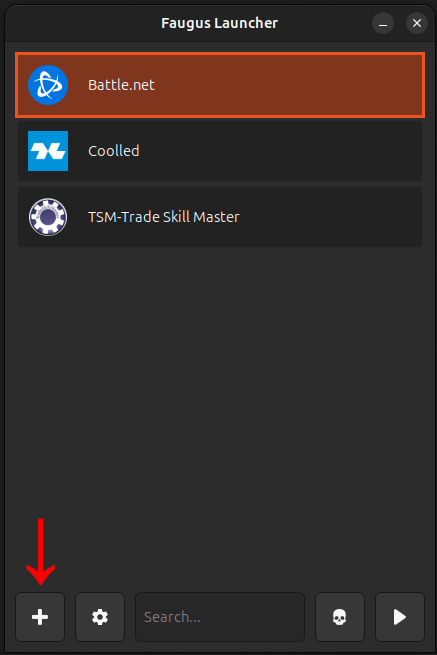
Open Faugus launcher, click on + located at bottom
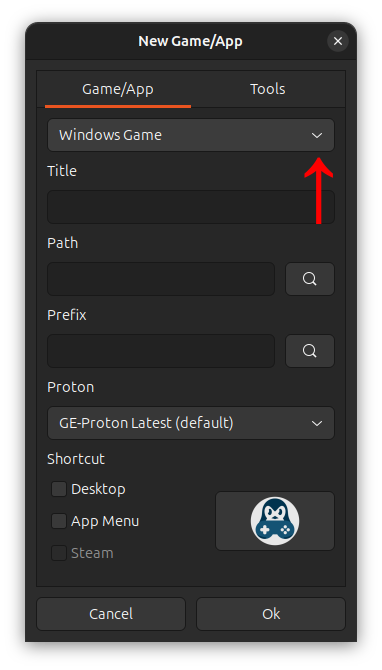
Now on the new window click on the drop list with default option Windows Game
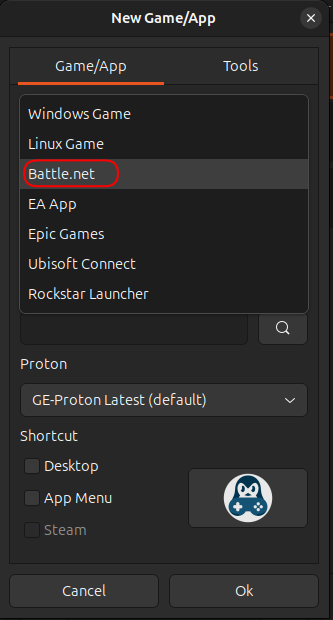
Select Battle.net
Then ok
Warning
DO NOT modify nothing
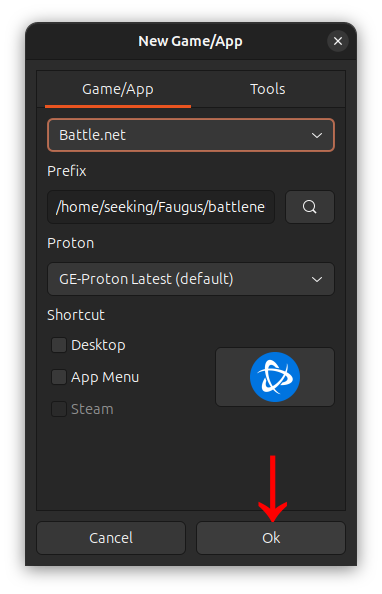
That will setup wine prefix of battlenet, download battlenet installer, then will install, follow the steps until you see the Battlenet Login
Warning
If the installation steps don’t open or crash maybe you have the brwrap issue
Warning
If you never see the login window on installation process or when you try to open the battlenet from Faugus may you don’t have the [expected Graphic Drivers](#1–graphic-drivers) based on your video hardware
brwrap issue
If you got something like pressure-vessel-wrap[11882]: E: Child process exited with code 1: bwrap: setting up uid map: Permission denied. (Only visible over terminal if you opened Faugus launcher via terminal), follow the steps bellow of brwrap issue
here someone else had the issue and discussed about it and here is the solution, in simple words do this:
Create text file named bwrap at /etc/apparmor.d/
sudo nano /etc/apparmor.d/bwrap
Then add this
abi <abi/4.0>,
include <tunables/global>

profile bwrap /usr/bin/bwrap flags=(unconfined) {
userns,

# Site-specific additions and overrides. See local/README for details.
include if exists <local/bwrap>
}
Save and reload apparmor process
systemctl reload apparmor
Now, Repeat the steps Install Battlenet From Faugus-Launcher
Install from battlenet
If everything is ok you will see the battlenet on Faugus Launcher, now selkect battlenet app from the list then click on “play icon”
IMG
That will open Battlenet App, then Login with you Battlenet net app normally and install the wow normally
Note
At this point Any other Battlenet game could be installed
Once installation ends you can click on play from battlenet and will open wow
IMG
always you will open battlenet from faugus then open wow form battlenet
Important
Could happens every time that you open the wow the resolution changes, but only that